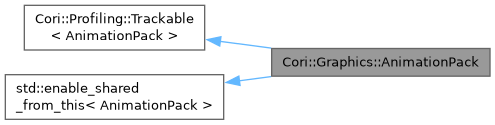
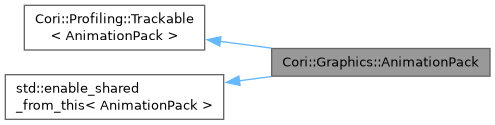
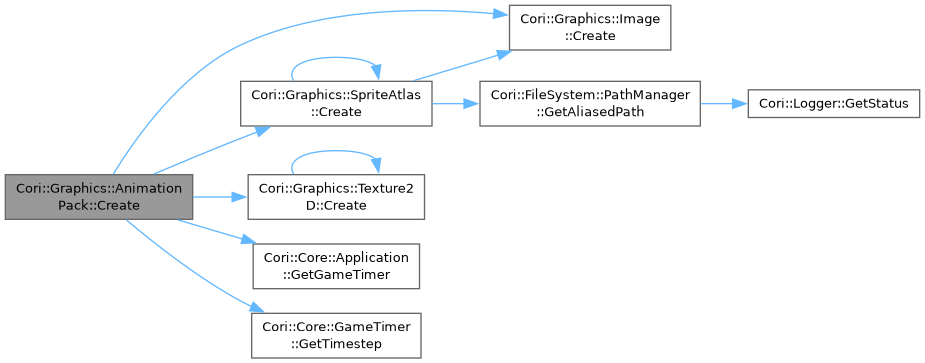
Represents a pack of sprite animations that were loaded from the drive from the pair of an image file and json config.
More...
Represents a pack of sprite animations that were loaded from the drive from the pair of an image file and json config.
I can load several types of configs: ASEPRITE, CORI_UNIFORM, CORI_VARYING.
ASEPRITE: uses the config that is generated by aseprite when extracting the animation, adds extruding to each sprite on animation atlas, all animation frames should be the same resolution.
CORI_UNIFORM: uses engine native json config layout to load a pack of animations, adds extruding to each sprite on animation atlas, all animation frames should be the same resolution.
Example of the json layout:
{
"meta": {
"frameSizeX": 32,
"frameSizeY": 32,
"textureFile": "Atlas.png"
},
"animations": [
{
"frames": [ { "x": 0, "y": 0, "ms": 100 }, { "x": 32, "y": 0, "ms": 100 }, { "x": 64, "y": 0, "ms": 100 }, { "x": 96, "y": 0, "ms": 100 }, { "x": 128, "y": 0, "ms": 100 }, { "x": 160, "y": 0, "ms": 100 } ]
},
{
"frames": [ { "x": 0, "y": 32, "ms": 100 }, { "x": 32, "y": 32, "ms": 100 }, { "x": 64, "y": 32, "ms": 100 }, { "x": 96, "y": 32, "ms": 100 }, { "x": 128, "y": 32, "ms": 100 }, { "x": 160, "y": 32, "ms": 100 } ]
},
{
"frames": [ { "x": 0, "y": 64, "ms": 100 }, { "x": 32, "y": 64, "ms": 100 }, { "x": 64, "y": 64, "ms": 100 }, { "x": 96, "y": 64, "ms": 100 }, { "x": 128, "y": 64, "ms": 100 }, { "x": 160, "y": 64, "ms": 100 } ]
}
]
}
Here we load animation from image 'Atlas.png' (path relative to the json config), we load 3 animation each with 6 frames all have frame size of 32x32, x and y pairs is the left upper corner of each animation frame, the lower right corner is calculated based on frameSizeX and frameSizeY.
CORI_VARYING: uses engine native json config layout to load a pack of animations, different animations can have different frame size, but at the cost of not adding padding to each frame sprite so texel bleeding can occur, be aware.
Example of the json layout:
{
"meta": {
"textureFile": "Atlas.png"
},
"animations": [
{
"frameSizeX": 32,
"frameSizeY": 32,
"frames": [ { "x": 0, "y": 0, "ms": 100 }, { "x": 32, "y": 0, "ms": 100 }, { "x": 64, "y": 0, "ms": 100 }, { "x": 96, "y": 0, "ms": 100 }, { "x": 128, "y": 0, "ms": 100 }, { "x": 160, "y": 0, "ms": 100 } ]
},
{
"frameSizeX": 48,
"frameSizeY": 48,
"frames": [ { "x": 0, "y": 32, "ms": 100 }, { "x": 48, "y": 32, "ms": 100 }, { "x": 96, "y": 32, "ms": 100 }, { "x": 96, "y": 32, "ms": 100 }, { "x": 144, "y": 32, "ms": 100 }, { "x": 192, "y": 32, "ms": 100 } ]
},
{
"frameSizeX": 64,
"frameSizeY": 64,
"frames": [ { "x": 0, "y": 80, "ms": 100 }, { "x": 64, "y": 80, "ms": 100 }, { "x": 128, "y": 80, "ms": 100 }, { "x": 192, "y": 80, "ms": 100 }, { "x": 256, "y": 80, "ms": 100 }, { "x": 320, "y": 80, "ms": 100 } ]
}
]
}
Here we load animation from image 'Atlas.png' (path relative to the json config), we load 3 animation each with 6 frames all have different frame size, x and y pairs is the left upper corner of each animation frame, the lower right corner is calculated based on frameSizeX and frameSizeY of each animation.
- Warning
- Each frame timing specified in ms in the config will be rounded to the nearest tick based on the tickrate, so for example if we have tickrate of 60 and our frame length is specified to be 110ms in the config it will be rounded to 7 ticks and that is 116.6...ms.
Definition at line 82 of file AnimationPack.hpp.